# Storing credentials
One of the first steps in most business automation workflows is logging in as a specific user to an application. While you can certainly write in the username and password in clear text when describing your model, we also provide a more secure way to store and retrieve this information for use in your models.
Simply head over to the Credentials panel using the leftmost menu, and click the Create button in the top right corner.
Each credential is organized by a Service name, and an Account name. The service name can be anything, but we recommend you use it on a high level to organize types of accounts you use in your automations. When creating a credential for the first time, be sure to click New Service to create a new account type for your credential.
Similarly, Account names can be anything, but we recommend you pair them with the specific username/email the credential (presumably a password) is for. Doing this correctly looks something like the following:
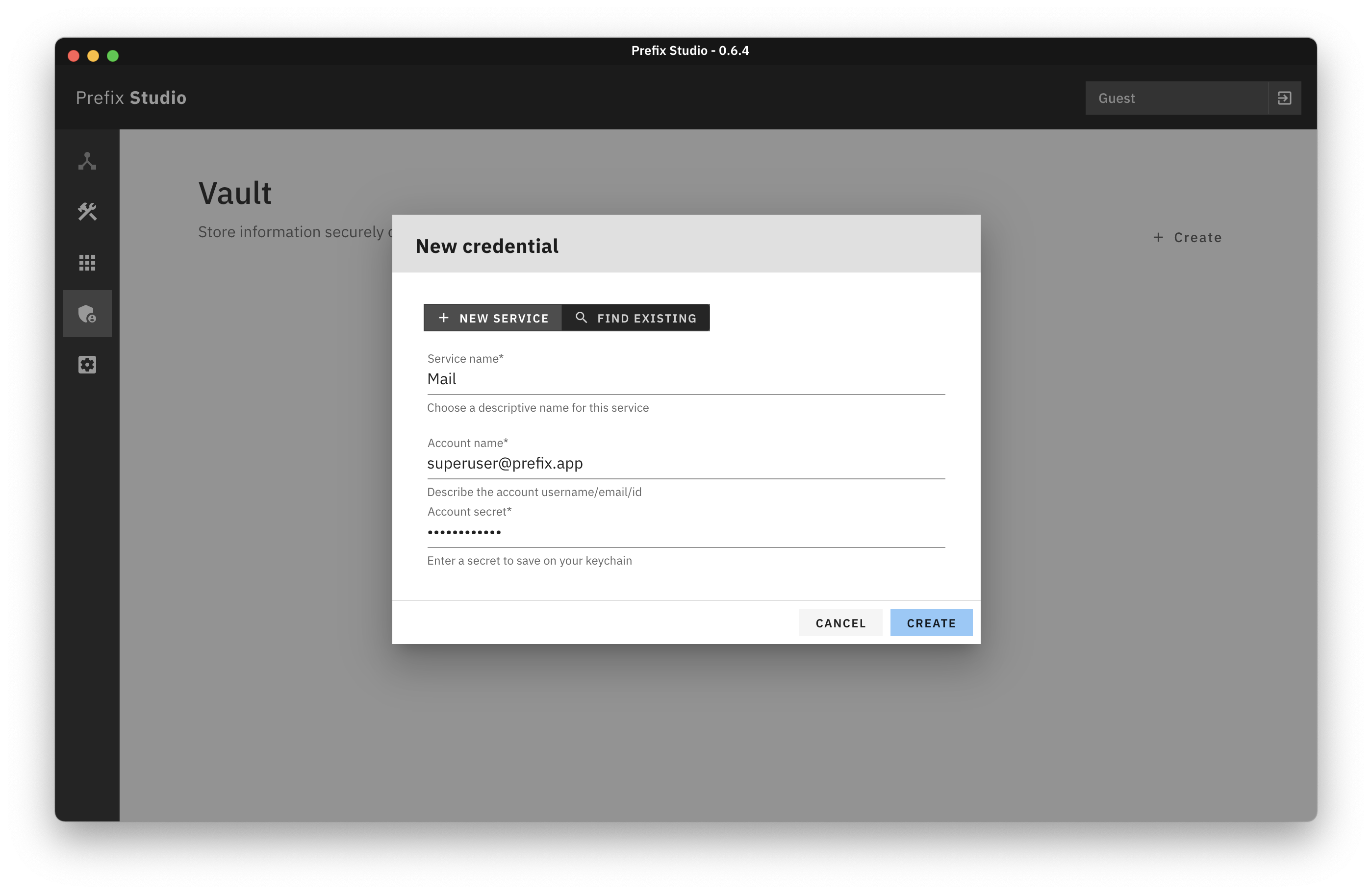
From here, just hit the create button to store the password securely on your system keychain (we use node-keytar on the backend, if you're curious exactly how), and you'll be able to reference this password in the automation model designer by selecting Credential when choosing a type of information to enter through the Fill Field block.