# Creating a new model
Models are simple flow charts that contain the steps you wish to automate, like Open URL and Fill Field. By building these flow charts, you are telling what Prefix should do on the browser in order to run your automation.
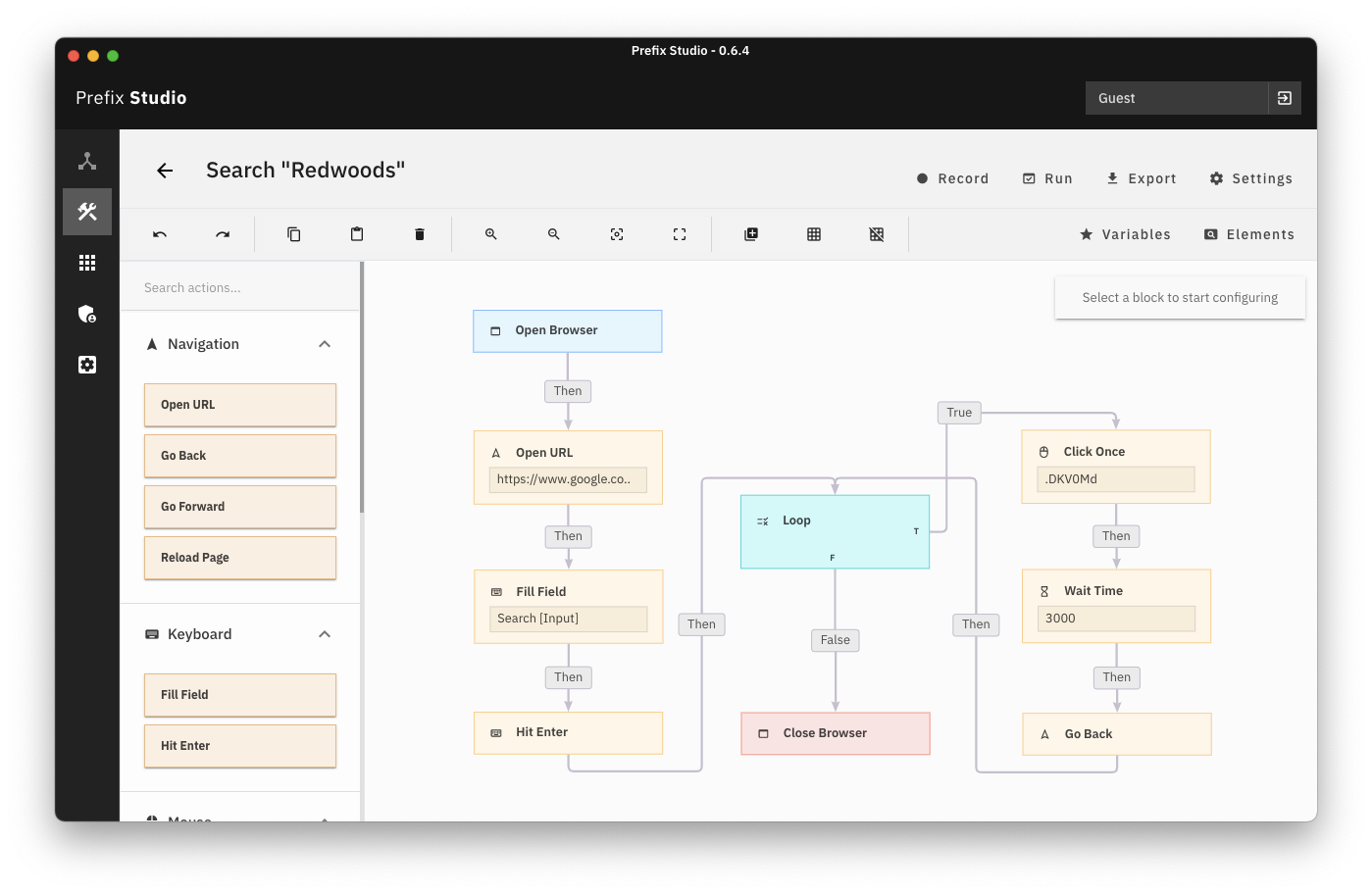
Each model contains one flow chart, as well as special references that tell Prefix exactly which buttons and fields on a specific web application to interact with.
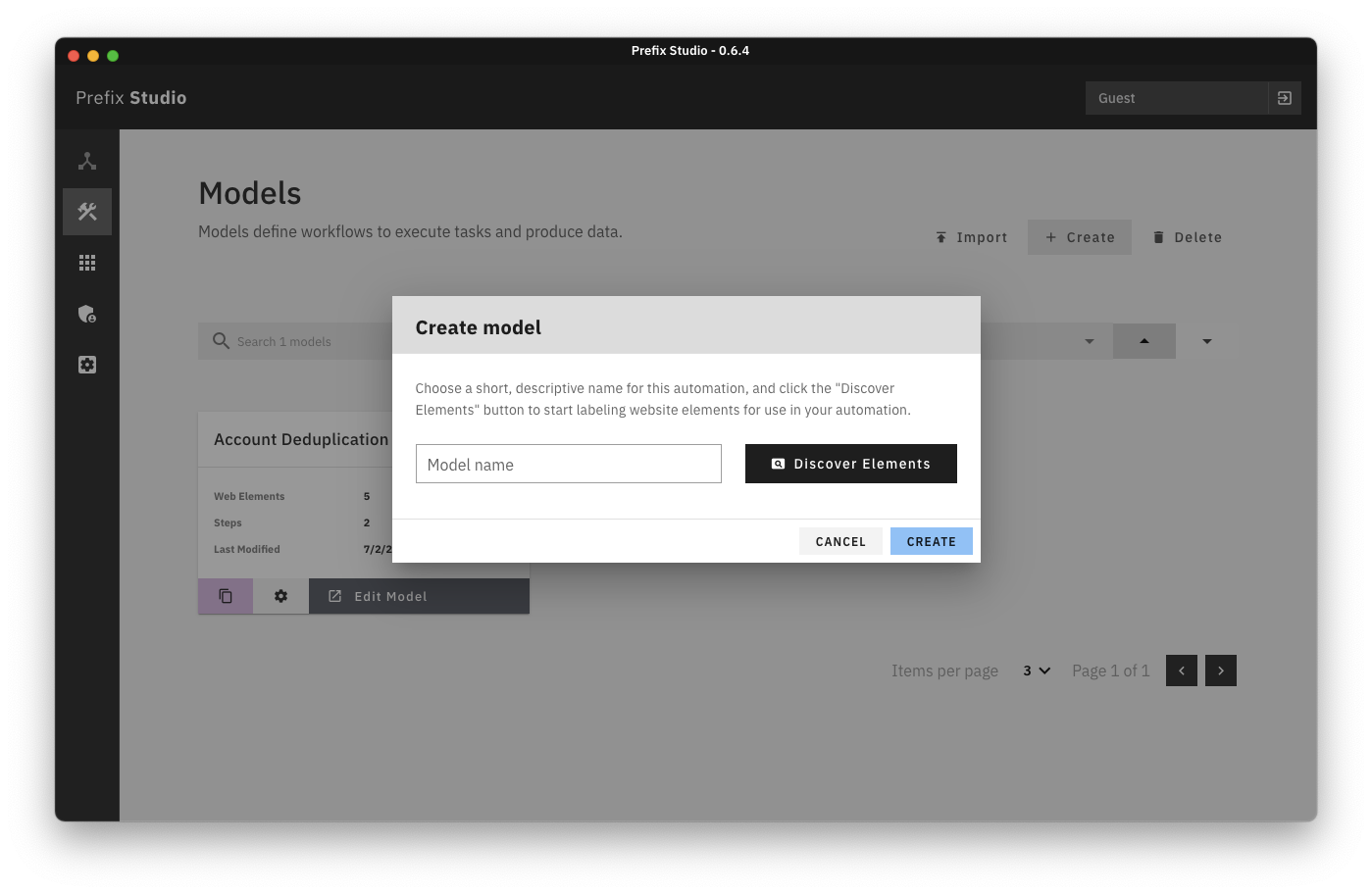
To create a model, navigate to the "Models" panel using the buttons on the far left, and select "+ Create".
This will open a popup that requests you to name the model, and find some elements. After you've typed in a model name, click "Find Elements". This will launch Google Chrome with our labeling extension, which you can use to tell Prefix exactly which web elements it should click and type through in your automations.